
The power button on your PC Case is responsible for turning ON your desktop computer. It can also be used to shut down or force-shutdown your computer when it freezes or fails to respond to mouse or keyboard input. The power button is simply a small switch or button that shorts the two power pins or headers on the motherboard to start the PC. Several factors can cause the power button to stop working or not work properly. A non-functioning power button can be a real trouble, especially for users who don’t know how to manually start the PC by shorting the two power button pins on the motherboard’s front panel headers. To help you with this issue, I will list all the causes along with their solutions.
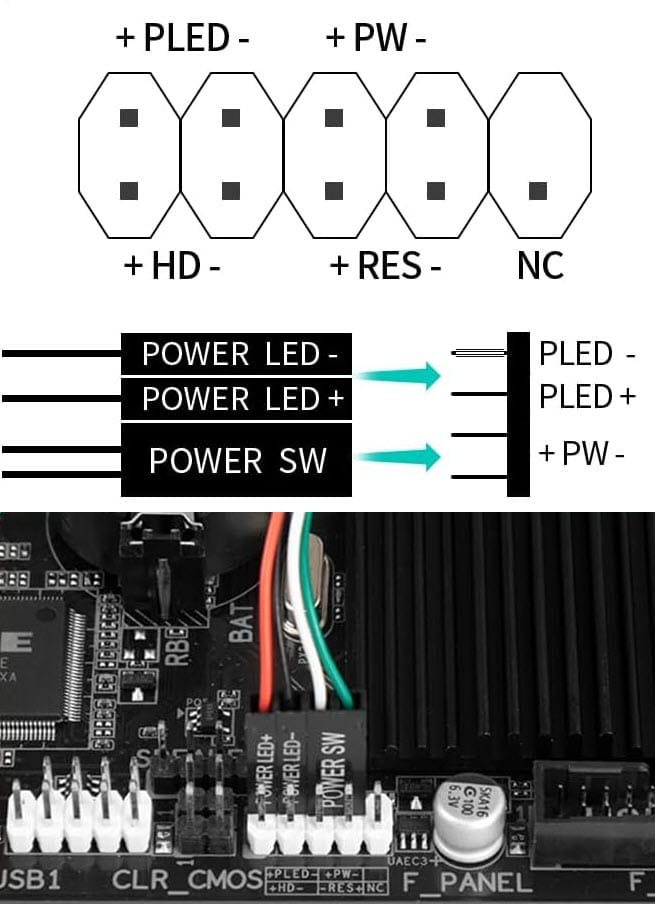
Motherboard’s Front Panel Header Connection Layout
Front Panel Header (F_PANEL) Connections on the motherboard for Power Button (POWER SW), Power LEDs (POWER LED +, POWER LED -), Reset Button (RESET SW), Hard Drive LED (HDD LED +/-). NC means No Connector.
How to Test if the Power Button is Faulty?
The power button may not work for other reasons, including a faulty power supply unit (PSU), a faulty motherboard, or a faulty power cable. Therefore, to check whether the fault is with the power button only, you have to do the following:
1. Open the side panel of the PC Case
2. Locate the front panel headers on the motherboard, usually located at the bottom of most motherboards.
3. Locate the POWER SW/PWR SW/PWR_BTN connector, and remove it.
4. Turn on the PC power from the AC power outlet.
5. Take a screw driver (Philips or Flat head) and short the two Power SW header pins using the screw driver by touching both the pins at the same time.
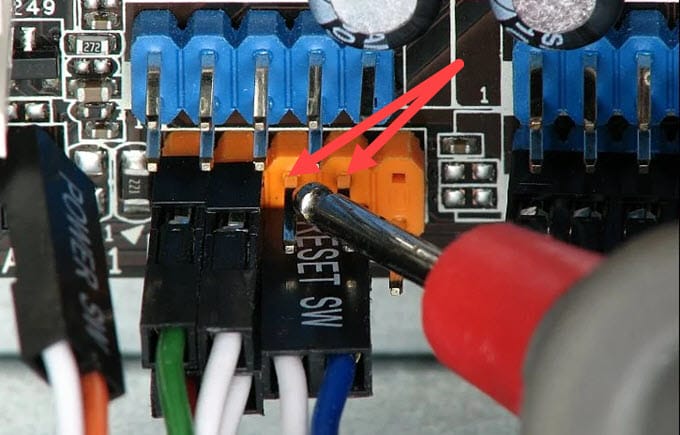
6. If your PC starts and boots up following the POST screen, then your Power Button is faulty, and there is no issue with other components.
Note: You can also use this method in an emergency to start your PC if your power button fails or breaks.
Causes for PC Power Button Not Working
Below are some of the major causes of the ‘power button not working’ problem on your PC.
Dust or Corrosion – A power button is a 2-pin push-button switch that turns the circuit ON or OFF when pressed. Over time, dust can get into the button and affect the contact mechanism, preventing proper contact and completing the circuit. If the power button is getting harder to operate, or you have to press or push it harder to start the PC, the issue is dust or corrosion buildup inside the button or switch. In such cases, you can clean the power button by spraying WD-40 Contact Cleaner or a good electronic cleaner spray.
Internal Breakage / Broken Button – A broken power button can lead to its non-functioning. The internal parts of the power button may break, causing it to fail to operate.
Loose Connector – Sometimes the power connector may become loose if it is not fitted properly, or you may accidentally snap it while cleaning your PC Case or when installing, removing, or refitting any internal component.
Damaged Wires – Any damage to the power button connector wire can cause the power button to stop working.
Wrong Connection – Check if the power button connector is inserted into the correct pins on the motherboard’s front panel header: the two POWER SW header pins. This can happen when you have changed your motherboard or built a new PC.
Solutions for PC Power Button Not Working
Below are the fixes and solutions for the ‘PC Power Button not Working’ problem.
Clean the Button/Switch
If you can access the power button internally in the PC case, you can clean it by spraying a good electronics spray or contact cleaner, like WD-40 contact cleaner, to remove corrosion or dust from the switch contacts.
Replace the Button/Switch
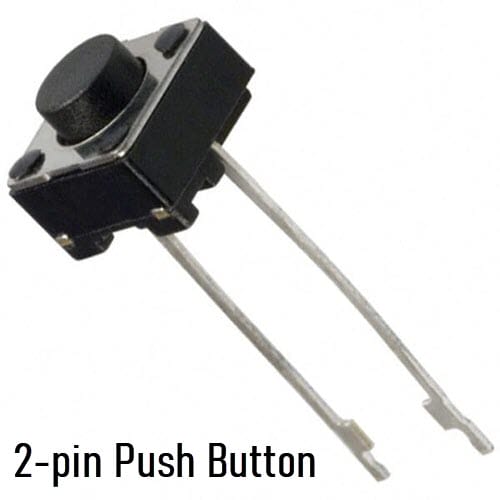
If you are a DIY Enthusiast and can access the power button or switch, you can replace it with a new one. In most PC Cases, the power button switch is a small 2-pin push button that controls the ON/OFF state. When it is pushed or pressed, it completes the circuit and turns the devices ON or OFF, depending on the circuit’s functionality. Below is a typical push-button switch used in electronic devices.
Swap with Reset Button
If your PC Case has a reset button, you can swap the power button functionality with the reset button by connecting the reset button connector to the power button pins on the motherboard’s front panel headers. Now, your reset button on the PC Case becomes the power button, and you can press it to start your PC. A reset button is generally not needed, and in some PC Cases, you won’t find a reset button.
External Power Buttons
One of the best, easiest, and most permanent ways to fix a faulty power button is to use an external power button. An external power button is a power button switch that sits outside your PC Case and has a long Power SW and other connectors cable that connects to the power button pins of the motherboard front panel header. The power button cable can be routed through the PC Case expansion slot to the motherboard front panel headers. External power buttons come in different styles and shapes and can be easily replaced if they become faulty. Moreover, you can stick the power button to your PC Case, desk, or anywhere you like using double-sided adhesive tape. Below are some good external power buttons that you can use with your motherboard and PC Case:
OwlTree Round Power Button Switch
A round fancy power button that looks nice and comes with RGB LED lighting. This External Desktop PC Power Switch comes with a 1.7-meter cable that has POWER SW and POWER LED +, POWER LED – connectors. A splitter is included with the button, so you can use your original power button alongside the external power button without losing any functionality.
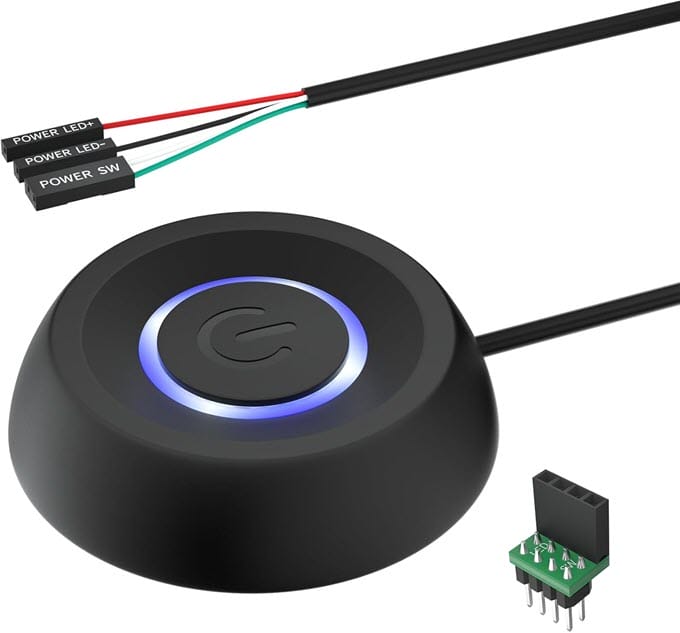
Buy OwlTree Round Power Button Switch
Aukuoy External PC Power Mechanical Switch
Here we have a mechanical keyboard-type PC Power and Reset switch. The external switch comes with multicolor LEDs and a 1.8-meter-long cable. The cable has all the front-panel header pins, including POWER LED+, POWER LED-, POWER SW, RESET SW, and HDD LED+/-. Just like a mechanical keyboard’s tactile switch, these power and reset switches provide tactile feedback and feel nice to press. The bottom of the external power switch unit features built-in industrial-strength adhesive for easily mounting the switches on any surface.
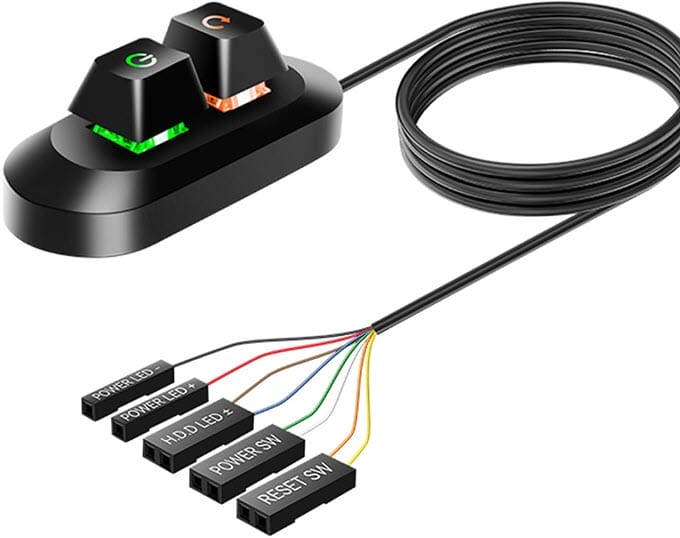
Buy Aukuoy External PC Power Mechanical Switch
SilverStone Wireless Remote Computer Power/Reset Switch
A wireless external PC power button and reset switch that operates at 2.4 GHz frequency. It has two units, a remote and a receiver. The remote resembles that of a car remote and has power and reset buttons. The receiver unit goes inside the PC Case and uses a USB 9-pin connector for power. The remote requires a CR2032 battery and has an operating range of 20 meters. The exact model number of this wireless external power button is SST-ES02-USB-USA.
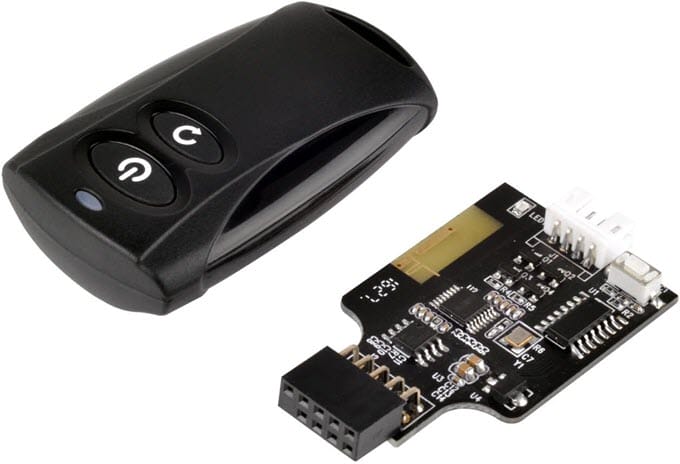
Buy SilverStone Wireless Remote PC Power Button
Other External Power Buttons
Below are some more good external power buttons or switches that you can check out.
- OwlTree Transparent External Power Button Switch
- Mechanical External Power Switch with LED
- TUMASTER Round PC Power Button with LED
See also:
- Fix PC won’t Turn ON [Causes and Solutions]
- Fix PC Restarting Randomly while Gaming
- Faulty Motherboard Symptoms and Causes
Queries?
If you have any queries about the ‘PC power button not working’ issue or PC components, do let me know in the comments below.
(*This post may contain affiliate links, which means I may receive a small commission if you choose to purchase through the links I provide (at no extra cost to you). Thank you for supporting the work I put into this site!)
![What PC Case do I have? [Know How to Identify PC Case Model]](https://graphicscardhub.com/wp-content/uploads/2021/05/find-out-what-pc-case-you-have-211x150.jpg "What PC Case do I have? [Know How to Identify PC Case Model]")
![Fix CPU Fan Not Spinning [Top Causes & Solutions]](https://graphicscardhub.com/wp-content/uploads/2020/02/cpu-fan-not-spinning-fix-211x150.png "Fix CPU Fan Not Spinning [Top Causes & Solutions]")
